

LinkedIn outreach for agencies works when content and messages run as one system. You post for one clearly defined buyer, connect with people who show a reason to talk now, and send short, relevant DMs that lead to one specific call. Volume and automation don't book calls. Relevance and follow-up do.
Most agency owners have tried LinkedIn outreach at least once. They sent a batch of connection requests, pasted the same pitch into every new chat, got a few polite replies and a lot of silence, and decided LinkedIn "doesn't work for our niche."
LinkedIn usually isn't the problem. The problem is running outreach without content, or content without outreach. Our team has coached 700+ agencies in Canada, the US and Europe, and the ones that book calls from LinkedIn treat it as one loop: the profile explains the offer, posts build trust, signals tell you who to message, and DMs turn that trust into a meeting.
This guide is the practical side of our agency go-to-market strategy on LinkedIn. It covers the profile, the content, the list, the connection request, a four-message DM sequence, a daily routine and what to track, with the rules LinkedIn itself publishes.
Why LinkedIn Outreach Fails for Most Agencies
The same four mistakes show up again and again:
A vague offer. "We help brands grow" gives a prospect nothing to say yes to. Outreach can't fix positioning. If your offer is unclear, start with the positioning work in our guide to the agency business.
Messages with no context. A stranger gets a pitch from someone who has never posted, commented or shown up in their feed. It reads as spam because it is.
Pitching in the first message. Asking for 30 minutes before you've earned 30 seconds of attention.
Volume instead of fit. Hundreds of requests to anyone with a matching job title. LinkedIn notices when many invitations are ignored, and so does your acceptance rate.
The fix isn't a better template. It's a system where content warms people up before you message them and every message has a reason to exist.
Step 1: Fix Your Profile Before You Send Anything
Every accepted request and every reply leads to the same place: your profile. A prospect decides in a few seconds whether you're worth talking to. Your profile should answer three questions: who you help, what outcome you deliver and why they should believe you.
| Profile element | What it should do | Example for a B2B SEO agency |
|---|---|---|
| Headline | Name the buyer and the outcome | "We help B2B SaaS companies turn organic search into demo requests" |
| Banner | Repeat the promise and the next step | One line on the outcome plus "Book a call via the link below" |
| About section | Problem, approach, proof, call to action | 4 short paragraphs, ending with how to book a call |
| Featured section | Proof a prospect can check | 1–2 case studies and one useful guide |
| Experience | Show the agency, not just your title | Agency name, what you do, who for, one result |
If your own team can't agree on the headline in one sentence, pause the outreach and fix the offer first.
Step 2: Post Content That Warms Up the People You'll Message
Content is the part of LinkedIn outreach most agencies skip, and it's the reason their DMs land cold. When someone gets your connection request, they look at your recent activity. If they see a week of posts about their exact problem, the conversation starts halfway done.
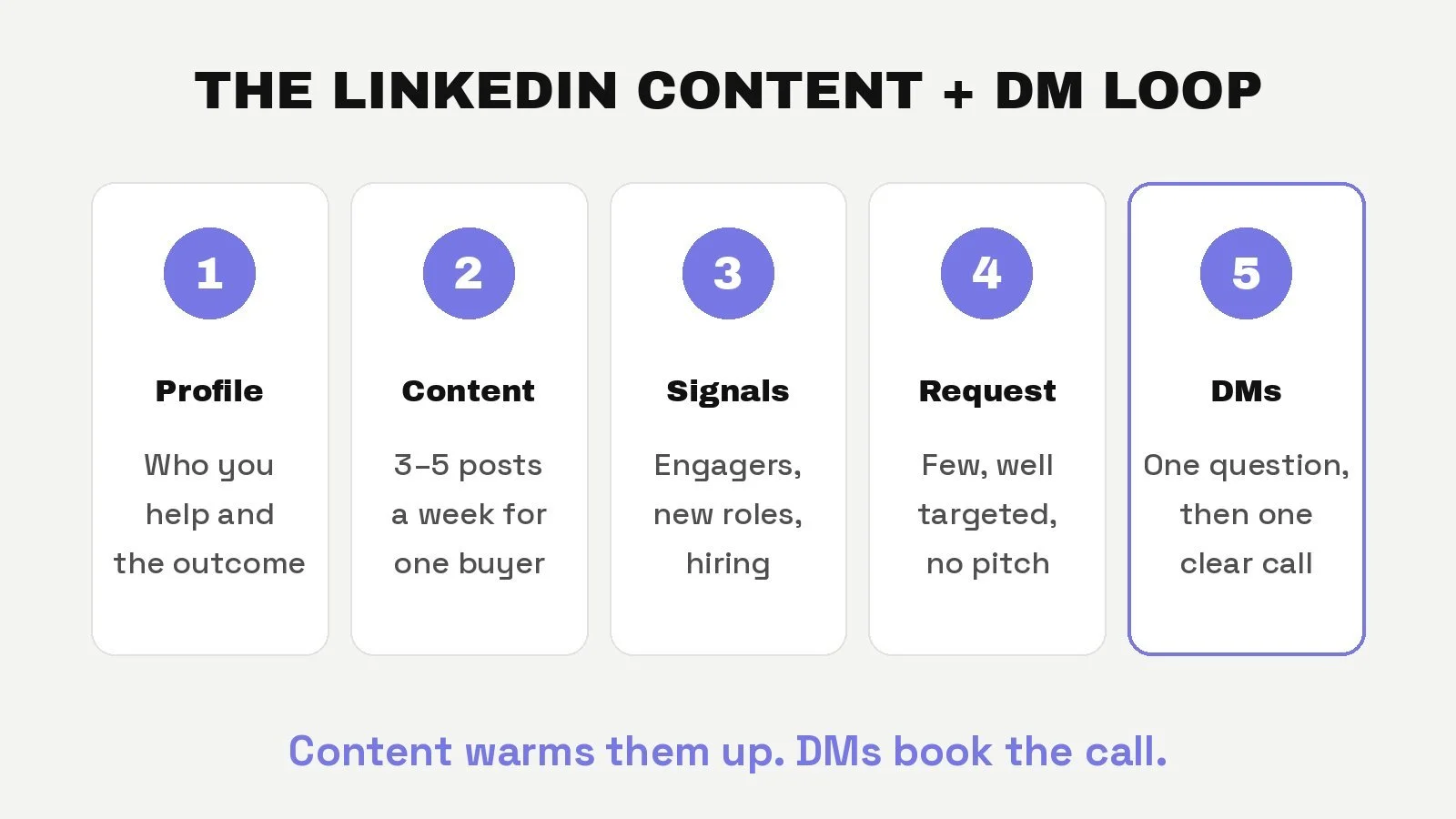
You don't need to go viral. You need consistency and relevance to one buyer. A simple weekly mix:
| Day | Post type | What it does |
|---|---|---|
| Monday | Tactical how-to for your buyer | Shows you understand the work |
| Tuesday | Client story (with permission) | Proof without a pitch |
| Wednesday | A common mistake you see | Starts comments from people with that problem |
| Thursday | Opinion on a trend in their industry | Gives buyers a reason to follow you |
| Friday | Behind the scenes of how you work | Makes buying from you feel low-risk |
Write for buyers, not other agency owners. A post that gets likes from your peers but nothing from your ICP isn't helping your pipeline. If writing five posts a week isn't realistic, start with three and keep the rhythm. Consistency beats any single post.
Step 3: Build a Short, Signal-Based List
Instead of a list of 2,000 job titles, build a short list of people who fit your ICP and have a reason to talk now. Good signals include:
They commented on or reacted to your posts, or to posts on topics you cover.
They viewed your profile or started following you.
They changed jobs or were promoted in the last few months.
Their company is hiring for the role your service supports or replaces.
Their company raised funding, launched a product or entered a new market.
Score each person against a few ICP criteria, such as industry, company size, role and location, and only contact the ones who pass. A spreadsheet with five or six columns is enough to start. This is the same targeting principle as our cold outreach guide: a tight list beats a big one.
Step 4: Send Connection Requests That Get Accepted
LinkedIn publishes several rules that shape how you should send requests:
Invitation limits apply to everyone. All members, Basic and Premium, are subject to invitation limits. You can be temporarily restricted if you send many invitations in a short time or if many are ignored, left pending or marked as spam. Most restrictions lift within a week (LinkedIn Help).
Personalized notes are limited on free accounts. Free members can add a personalized message to up to 3 connection requests a month, and each note can be up to 200 characters. Premium members can personalize all of them, though connection limits still apply (LinkedIn Help).
Withdrawn invitations have a cooldown. After you withdraw an invitation, you can't invite the same person again for up to three weeks.
So send fewer, better requests, spread through the week, and keep your pending list short. When you do add a note, make it about them:
"Saw your comment on [topic] about [specific point]. I write about [shared topic] for [type of company] most weeks. Happy to connect."
That's well under 200 characters, references a real signal and asks for nothing. If someone accepts without a note, your profile and recent posts are doing the work.
Step 5: DMs That Book Calls, Without the Pitch-Slap
Once someone accepts, run a short sequence. Each message has one job.
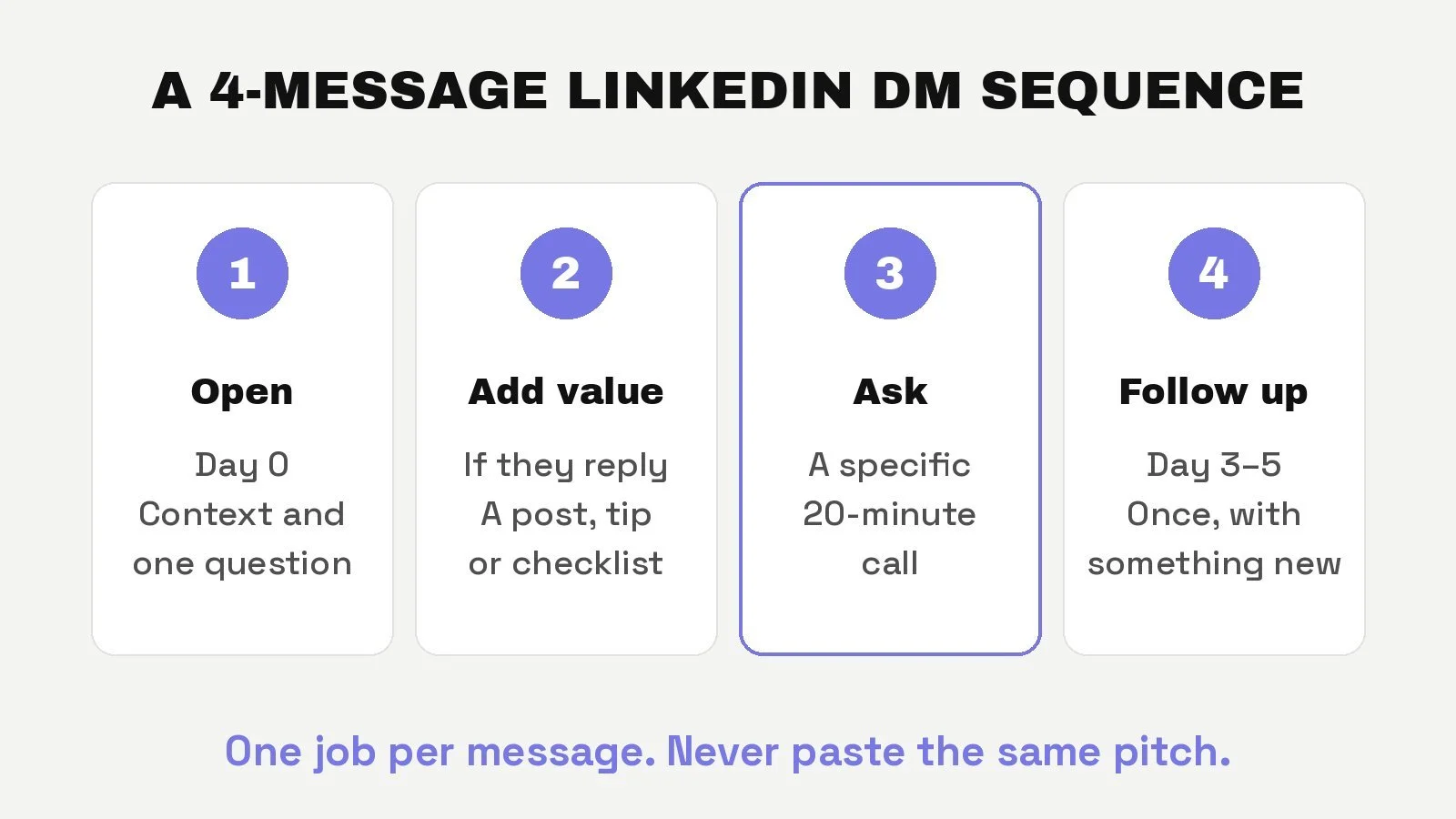
Message 1: Open with context and one easy question (day 0).
"Thanks for connecting. You mentioned [signal]. Curious, is [problem your agency solves] something your team is working on this quarter, or is it further down the list?"
Message 2: Add value if they reply (same day or next). Answer their reply with something useful: a relevant post, a short checklist or a two-line observation about their situation. No pitch yet.
Message 3: Offer a specific, short call.
"Based on what you said about [their answer], we've helped similar [type of company] with [outcome]. Worth a 20-minute call on Tuesday or Wednesday to see if it applies to you?"
Message 4: One polite follow-up (3–5 days later). If there's no reply, follow up once with something new, such as a relevant case study or post. Then stop. Keep them on your list and let your content keep working.
Three rules make this sequence work:
One question per message. Make replying easy.
Ask for a specific call, not "a chat sometime." A clear time and length gets more yeses.
Never paste the same message to everyone. If a message would make sense sent to anyone, it's spam.
A Daily 30-Minute LinkedIn Routine
Outreach works when it's a habit, not a campaign you run when the pipeline is empty.
| Time | Task |
|---|---|
| 10 minutes | Reply to every comment on your posts and leave useful comments on 3–5 buyer posts |
| 10 minutes | Check new signals (profile views, new followers, engagers) and send a few targeted requests |
| 10 minutes | Reply to DMs, send message 1 to new connections, and send due follow-ups |
Batch post writing once a week so the daily routine stays at 30 minutes. If you're the founder and also delivering client work, this is the first part of the system to delegate.
What to Track Every Week
Track five numbers in a simple sheet. Each one tells you what to fix.
| Metric | If it's low, fix… |
|---|---|
| Connection requests sent | Your routine (it isn't happening daily) |
| Acceptance rate | Targeting or your profile |
| Conversations started (replies to message 1) | Your opening question or your signals |
| Calls booked | The offer or how you ask for the call |
| Calls held and qualified | Qualification earlier in the conversation |
Set your own baseline over the first month and improve one number at a time. When we plan LinkedIn systems at The GTM Business, we use a conservative 35% acceptance rate, as explained in our agency go-to-market strategy guide.
What Not to Do: Automation, Fake Engagement and Pods
It's tempting to buy a tool that sends hundreds of requests and messages on autopilot. Don't. LinkedIn doesn't permit third-party software, bots, browser plug-ins or extensions that scrape or automate activity on its website, and it doesn't permit fake accounts or fake engagement, including tools that try to manipulate its content algorithms. Members who use them risk having their accounts restricted or shut down (LinkedIn Help).
That also rules out engagement pods and bought likes. Beyond the account risk, they don't work for agencies: fake engagement doesn't come from your buyers, so it doesn't build the trust your DMs depend on. Use tools for research, list building and drafting, and keep sending and conversations human.
Results From Agencies We've Advised
LinkedIn was one channel in a wider sales system for each of these agencies. The numbers come from our published case studies.
| Agency | What we built | Result |
|---|---|---|
| PN Digital | LinkedIn outbound with personalized targeting, vertical cold email, enterprise repositioning and a sales process | $30K to $200K/month in 8 months, including a first $40K/month enterprise contract |
| Plateau PPC | A niche offer for fintech and AI companies, LinkedIn content and outreach processes, cold email and follow-up frameworks | $0 to $30K/month in 4 months |
| Ricochet | Sharper positioning, outbound email and LinkedIn outreach paired with case study content, fixed-scope offers | $5K to $30K/month in 3 months, then a successful sale of the agency |
The common thread is that outreach came after positioning. Each agency had a clear buyer and offer before it scaled its messages. For more on reaching bigger accounts, see our guide to landing enterprise clients.
DIY or Done-for-You?
You can run everything in this guide yourself, and many founders do in the early days. The trade-off is time: writing posts, finding signals, sending requests and handling DMs adds up to a part-time job.
If you'd rather have the whole system installed and run for you, The GTM Business handles positioning, ghostwritten content, signal-based targeting and a human SDR whose job is booking qualified calls. Want a lighter option focused on your personal brand? See our LinkedIn Authority Builder Funnel. For other ways to fill your pipeline, read how to get clients for your marketing agency.
Frequently Asked Questions
Does LinkedIn outreach work for agencies?
Yes, if you sell B2B services through sales calls and your buyers use LinkedIn. It works best when a clear offer, regular content, a short signal-based list and personal follow-up run together. Outreach alone, without content or positioning, usually gets ignored.
How many connection requests should I send a day?
LinkedIn doesn't publish a fixed number, and all accounts have invitation limits. Sending many requests in a short time, or having many ignored, can get you temporarily restricted. Send a small number of targeted requests every day rather than large batches.
How long can a LinkedIn connection note be?
Up to 200 characters. Free accounts can add a personalized note to up to 3 connection requests a month, while Premium members can personalize all of their requests, according to LinkedIn Help.
What should my first LinkedIn DM to a prospect say?
Thank them for connecting, mention the signal that made you reach out, such as a post or a new role, and ask one easy question about a problem you solve. Don't pitch or ask for a call in the first message.
Can I use automation tools for LinkedIn outreach?
Not for sending. LinkedIn prohibits bots, browser plug-ins and other tools that scrape or automate activity such as connecting, messaging or engaging, and accounts that use them risk restriction. Use software for research and drafting, and keep sending and conversations human.
How often should agency owners post on LinkedIn?
Several times a week. Consistency matters more than any single post. Three to five posts a week written for one buyer will warm up your outreach far more than an occasional viral post.
Ready to turn LinkedIn into a steady source of booked calls? Our team has helped 700+ agencies build sales systems that don't depend on referrals.